
LASER TAG EQUIPMENT CLEANING & CARE GUIDE
Lasertag University Operational guide Jun 9, 2026 7:51:42 AM Grant Collins 6 min read
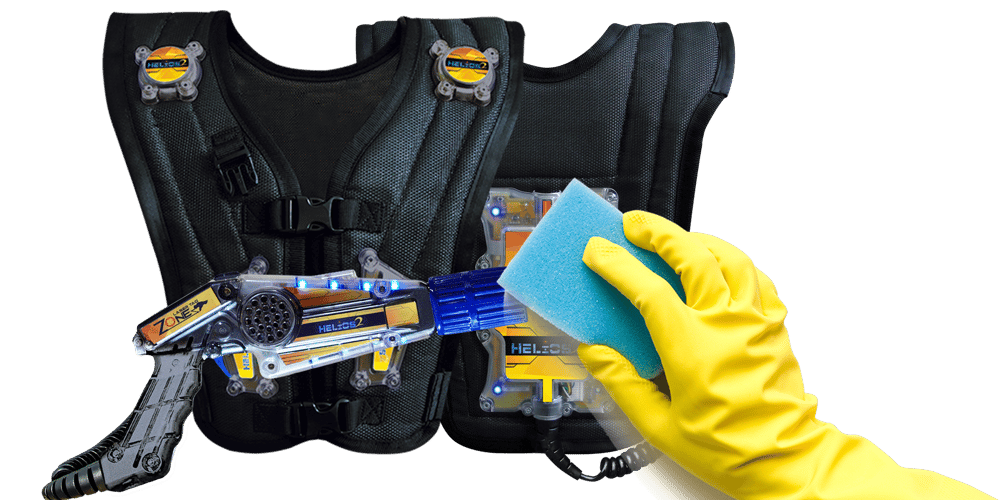
Keeping your laser tag equipment clean is an important part of running a professional, reliable, and guest-friendly operation. Regular cleaning helps extend the life of your equipment, improves player experience, and gives customers confidence that your centre is well maintained.
This guide outlines recommended cleaning practices for laser tag vests, phasers, kit-up rooms, arena equipment, and general centre operations.
Best Practices for Laser Tag Operations
Laser tag equipment is handled by many players throughout the day, so a consistent cleaning routine should be part of normal operations.
After each game, staff should wipe down phasers, paying particular attention to:
- Hand sensors
- Triggers
- Touch screens
- Side buttons
- Handles and high-contact areas
The vest should also be briefly wiped down between games where practical, especially around the shoulders, front panels, clips, and any areas players commonly touch.
A more thorough clean should be completed at least once per day, or more often during busy operating periods.
Cleaning the Kit-Up Room
The kit-up room should be kept clean and organised throughout the day. This includes regularly cleaning:
- Vest racks
- HAL buttons
- MIDAS tablets
- Switches
- Walls and door handles
- Touch points around entry and exit areas
- Any surface guests or staff are likely to touch
If your centre has heavy session turnover, it may help to rotate equipment use where possible. For example, some operators choose to alternate between different rack colours or sections of equipment, giving staff more time to clean between groups.
Staff should also regularly check that equipment is being returned correctly, cables are not twisted or strained, and charging connections are secure.
Arena Equipment and High-Contact Areas
Although the arena itself generally has fewer direct hand-contact points than the kit-up room, it should still be included in your cleaning routine.
Pay particular attention to:
- Game stations
- Ramps and handrails
- Door handles
- Touch screens
- Interactive props
- Objective devices
- Any buttons or player-operated devices
These areas should be cleaned regularly throughout the day, especially during peak trading periods.
Staff Equipment and Operator Devices
Staff devices and operator equipment should also be cleaned regularly, especially if they are shared between team members.
This includes:
- MOC devices
- Tablets
- Keyboards
- Touch screens
- Phones
- POS equipment
- Radios
- Remote controls
- Any shared electronic devices
Where possible, assign clear staff roles during busy periods, such as laser tag operator, reception staff, and cleaning staff. This helps reduce unnecessary sharing of equipment and makes cleaning responsibilities clearer.
General Centre Cleaning
Your general centre cleaning routine should include regular wiping of common touch points such as:
- EFTPOS machines
- POS counters
- Door handles
- Sanitiser units
- Paper towel dispensers
- Benches and tables
- Arcade controls
- Mini golf putters
- VR controllers
- Party room surfaces
- Bathrooms
Whenever staff have down-time, they should use it to clean or reset visible areas of the centre. Visible cleaning also reassures guests that the venue is well managed and cared for.
Guest-Facing Cleaning Measures
Place signs in visible areas explaining the cleaning steps your centre takes to keep equipment and attractions clean.
This can include messaging near:
- The front entrance
- Reception
- Laser tag briefing area
- Kit-up room
- Arcade
- Bathrooms
- Party rooms
Simple signage helps customers understand your cleaning standards and encourages them to help keep the venue tidy.
You may also wish to provide:
- Wall-mounted hand sanitiser stations
- Disposable paper towels
- Wipe dispensers in arcade areas
- Clearly marked bins
- Staff checklists for cleaning routines
Recommended Cleaning Process for Laser Tag Equipment
For normal day-to-day cleaning, use a soft cloth with mild soap and water where possible. This is the safest option for the long-term condition of the equipment.
For areas that require sanitising, use a suitable electronics-safe or plastics-safe cleaning product. Always check the chemical manufacturer’s instructions before use.
A typical cleaning process would be:
- Turn off or remove equipment from play where practical.
- Remove visible dirt or grime with a soft cloth.
- Clean with mild soap and water.
- Lightly sanitise high-contact areas using an appropriate product.
- Avoid over-saturating the equipment.
- Allow equipment to dry before returning it to use.
- Check buttons, sensors, clips, cables, and touch screens for normal operation.
Do not spray liquid directly into the equipment, charging points, buttons, speakers, screens, or seams. Apply cleaner to a cloth first, then wipe the surface.
What Chemicals Should I Use on Laser Tag Equipment?
The safest cleaning method for the integrity of your equipment is mild soap and water applied with a damp cloth. This is the best option for regular cleaning and will have the least impact on plastics, coatings, screens, electronics, and printed surfaces.
For sanitising, use care when selecting chemicals. Some strong disinfectants may be effective for general surfaces but can damage laser tag equipment over time.
Avoid or limit the use of:
- High-strength alcohol solutions
- Chlorine-based sanitisers
- Bleach-based products
- Hydrogen peroxide-based products
- UV sanitising systems
- Harsh solvents
- Abrasive cleaners
- Excessively wet cleaning methods
Under normal circumstances, we do not recommend using 80% to 90% isopropanol solutions on laser tag equipment. While these products can be effective sanitisers, repeated use may cause polycarbonate plastics and other components to discolour, become brittle, or lose structural integrity over time.
We also do not recommend chlorine, UV, or H2O2-based sanitising methods for laser tag equipment, as these may cause excessive or rapid corrosion, material degradation, or damage to electronic components.
Any conductive or liquid-based sanitising method should only be used with equipment switched off and fully powered down to reduce the risk of damage.
Cleaning General Centre Surfaces
For non-equipment surfaces, such as counters, bathrooms, tables, and hard flooring, follow the cleaning product manufacturer’s instructions.
If surfaces are visibly dirty, they should be cleaned using detergent or soap and water before sanitising.
For general disinfection of suitable hard surfaces, use products that are appropriate for the surface being cleaned. Always follow instructions for:
- Dilution
- Contact time
- Ventilation
- Safe handling
- Compatibility with the surface
Never mix cleaning chemicals, especially bleach with ammonia or other cleaners.
Daily Cleaning Checklist
At the start of the day:
- Check that all equipment is clean and dry
- Inspect vests and phasers for damage
- Wipe operator devices
- Check kit-up room touch points
- Refill sanitiser and wipe stations
- Confirm cleaning supplies are stocked
Between games where needed:
- Wipe phaser handles, triggers, sensors, and screens
- Spot-clean vests where required
- Check kit-up room for mess or damage
- Reset equipment neatly on racks
- Remove any faulty equipment from play
During the day:
- Clean common touch points
- Wipe arcade controls and attraction equipment
- Check bathrooms
- Empty bins as needed
- Keep reception and party areas tidy
- Clean visible areas when staff have down-time
Weekly:
- Complete a deeper clean of vests and phasers
- Wipe vest racks and kit-up room surfaces
- Clean bases, game stations, and interactive devices
- Report any maintenance issues
- Restock cleaning supplies
Final Notes
A good cleaning routine protects your equipment, supports your staff, and improves the guest experience. The goal is not just to make equipment look clean, but to build a consistent process that keeps your laser tag system operating reliably every day.
Use gentle cleaning methods wherever possible, avoid harsh chemicals on equipment, and make cleaning part of the normal rhythm of your centre operations.
